The Most Advanced MMG Payments Plugin.
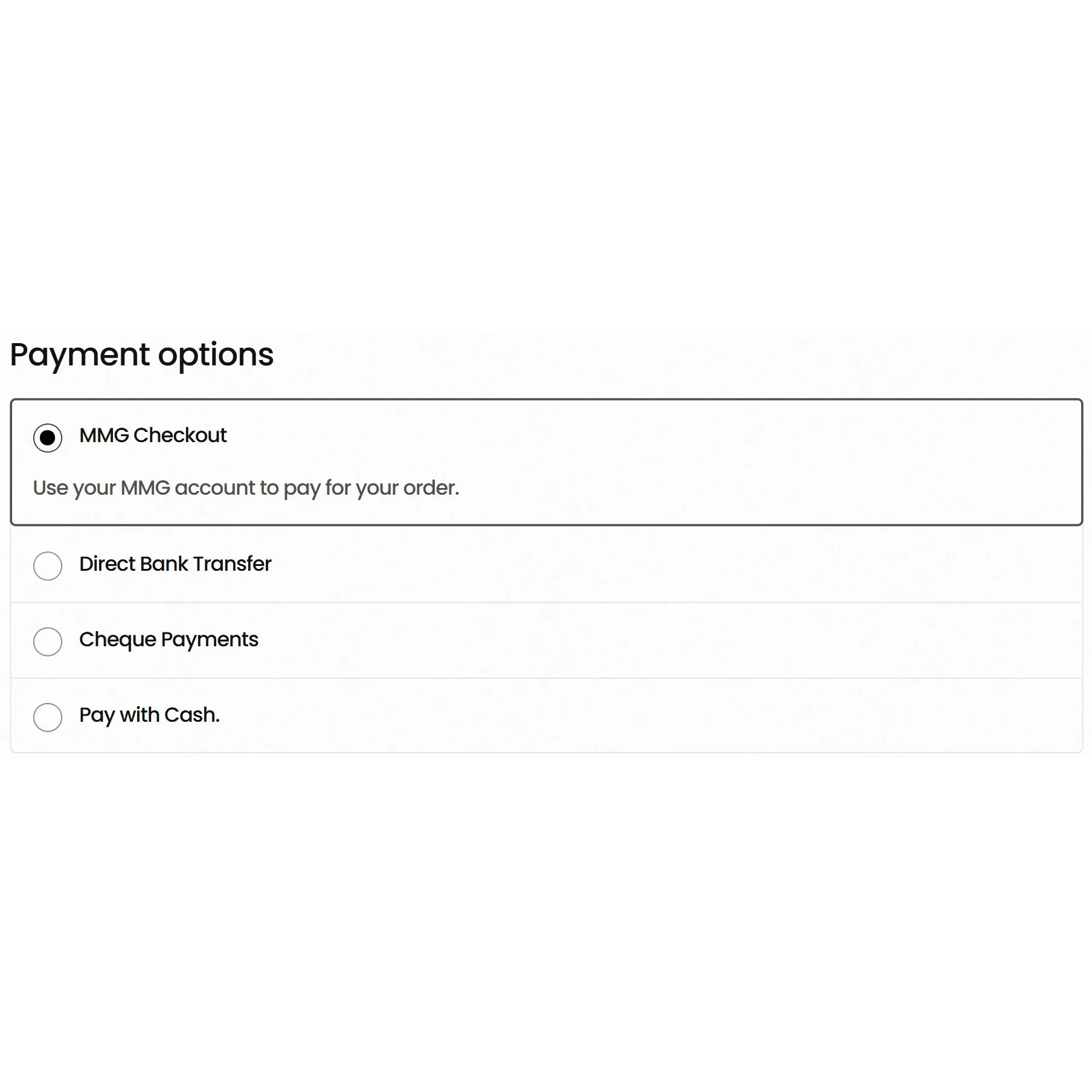
This plugin adds MMG as a payment option at checkout and it works with both WooCommerce Classic Checkout and WooCommerce Block Checkout. Customers are redirected to MMG’s secure hosted payment page, they complete payment, then they return to your store. Once they return, the order updates automatically in WooCommerce so your order history, invoices and customer account pages stay accurate.
Latest Version: 2.14.13
Read Changelog
2.14.13
- Fixed Live (Production) checkout URL to use the correct MMG payment host (
mmgpg.mymmg.gy). - Added an automatic migration that replaces the old
mmgpg.mmg.gyURL in saved settings to prevent “This site can’t be reached” errors after switching to Live.
2.14.12
- Added the MMG logo icon next to the MMG Checkout payment method label, aligned neatly like other gateways.
- Ensured compatibility with both Classic checkout and WooCommerce Blocks checkout.
2.14.11
- Fixed QR checkout link mode so QR links open a real WooCommerce order‑pay page that shows payment options and the Pay button.
- In checkout‑link mode, QR orders created by admins are stored as guest orders so customers can pay without being forced to log in.
- In checkout‑link mode, the plugin no longer forces MMG as the order payment method, allowing the pay screen to load other gateways normally.
2.14.10
- Changed QR checkout link mode so newly generated QR links become standard WooCommerce
/checkout/order-pay/...links (no custommmgwc_qrquery token). - In checkout‑link mode, the plugin creates the order at QR generation time (similar to Payment Requests), then customers land on checkout first and choose a payment method.
2.14.9
- Added a QR Payments alternative redirect mode that sends customers to the WooCommerce pay screen first (useful when direct MMG redirects are blocked by security plugins, caching, or hosting rules).
- Added a checkbox setting under MMG Checkout → QR Payments to enable the alternative checkout flow.
2.14.8
- Fixed QR public token handling so tokens are safely normalised even on hardened setups where query parameters may arrive in unexpected formats.
- Improved fail‑fast behaviour for invalid links and added no‑cache headers for QR token requests.
2.14.6
- Fixed an admin UI glitch where a stray “QR Payments” link could appear in the top‑left during page loads (especially on mobile).
- Cleaned up admin menu rendering to prevent unintended output during menu registration.
2.14.5
- Fixed QR payments redirect behaviour so QR links now send customers straight to the MMG payment page reliably.
- Adjusted redirect handling to avoid WordPress safe‑redirect restrictions that could push users back to the site homepage.
2.14.4
- Improved QR link compatibility by defaulting to a query‑string QR link format for better reliability across security plugins and hosting rules.
- Reduced edge cases where pretty links could trigger forced‑login redirects.
2.14.3
- Fixed a fatal TypeError in the QR payment handler caused by passing the wrong variable type into the order‑creation function.
- Hardened token parsing to prevent invalid data from reaching the QR order builder.
2.14.2
- Added QR routing improvements to reduce unwanted homepage redirects caused by canonical redirects or query stripping.
- Improved public handler detection to accept multiple QR URL formats cleanly.
- Enhanced rewrite and handler checks for more resilient QR links.
2.14.1
- Fixed a critical error after release by ensuring QR module classes are loaded before initializing the feature.
- Updated internal module bootstrapping for safer feature loading.
2.14.0
- Added QR MMG Payments module with admin generator and frontend shortcode support.
- Added expiry handling and duplicate‑payment protection for QR payment links.
- Added QR content and navigation updates in Overview and Help pages.
2.13.1
- Added self‑hosted update support using a JSON metadata endpoint and hosted ZIP downloads, enabling updates directly from wp‑admin.
- Updated readme changelog and release notes for the new updater flow.
2.13.0
- Refreshed the plugin admin UI to match Revamped GY branding (cleaner layout, improved spacing, nicer controls).
- Improved consistency of admin components across all MMG Checkout pages.
2.12.4
- Updated documentation flow across the plugin to reflect the correct callback process: copy callback URL from Diagnostics and send it to MMG when requesting credentials.
- Updated wording across Overview, Help, and relevant settings hints.
2.12.3
- Fixed a fatal admin error caused by an invalid footer hook that could break the entire WordPress admin menu.
- Removed the global footer injection and kept support branding only where intended.
2.12.2
- Corrected the setup flow in Overview and Help: request UAT package → import → test → send test video to MMG → receive Live package → import → switch to Live.
- Updated plugin row links (View Details and Visit Plugin Site) to the new plugin landing page.
2.12.1
- Fixed My Account endpoint handling that could cause critical errors on customer account pages.
- Updated Help and Overview to match the latest feature set and navigation.
- Expanded readme and changelog structure.
2.12.0
- Added Features Manager to enable/disable major plugin modules and hide their menus when disabled.
- Added Role Manager so site admins can grant access to specific MMG features per user role.
- Locked core management pages (Feature Manager, Role Manager) so they cannot be accidentally disabled.
2.11.1
- Fixed analytics menu registration so the Analytics page reliably appears under MMG Checkout.
2.11.0
- Added improved subscription controls: grace‑period logic with overdue tagging, pause/resume capability, and stop‑reminders after missed cycles.
- Added per‑subscriber renewal price locking (not just per‑product).
- Introduced lightweight analytics dashboard showing weekly/monthly totals, success/failed/cancelled/pending counts, and top products.
2.10.0
- Added My Account portal sections: My Invoices and My Subscriptions.
- Enhanced exports with additional filters (by status, product, customer) and a monthly‑summary export option.
2.9.1
- Added Support Bundle tool to generate a redacted zip of diagnostics, logs, and optional order details for faster troubleshooting.
2.9.0
- Added full Subscription Reminders module with subscriber‑tracking table, reminder scheduling, and email templates.
- Added product‑level “MMG Subscription” settings so subscription rules can be set per product.
- Implemented renewal‑link generation using real WooCommerce renewal orders for clean audit history.
2.8.0
- Introduced Payment Requests module using WooCommerce “pay for order” flow.
- Created Payment Requests list and Create Request page, supporting both product‑based and custom‑invoice items.
- Added request‑expiry support and safeguards to prevent payment of expired invoices.
2.7.0
- Added currency‑conversion support for stores selling in non‑GYD currencies (converts totals to GYD for MMG).
- Added diagnostics for currency details, rate‑source visibility, caching, and a manual refresh button.
- Stored conversion rates and rounding differences as order metadata for visibility in WooCommerce.
2.6.0
- Added Resend Payment Link tool and further export/admin‑reporting enhancements.
- Added advanced order‑status mapping options for varied fulfillment workflows.
- Implemented log rotation to keep debug files from growing excessively.
2.5.1
- Fixed WooCommerce Blocks Checkout compatibility issues and improved checkout reliability.
2.5.0
- Consolidated all settings and tools under a dedicated WP Admin menu: MMG Checkout.
- Added credential importer supporting MMG zip‑package uploads plus manual config/key uploads.
- Improved user guidance on where to obtain files and how to go live.
2.0.0
- Major rewrite focusing on stability, logging, diagnostics, and better WooCommerce status handling.
- Added Verify Payment button in the order screen and stronger duplicate‑callback protections.
- Improved plugin metadata, settings descriptions, and plugin row links.
1.0.3
- Fixed return handling so orders update correctly after MMG payment (removed the “‑1” return issue).
- Improved callback handling to prevent pending orders after successful payment.
1.0.2
- Improved MMG request flow.
- Fixed “Unable to Process” errors caused by request‑formatting issues.
- Strengthened redirect and response validation.
1.0.1
- Improved gateway stability.
- Added better error handling for redirects and order creation.
1.0.0
- Initial release: MMG Checkout payment gateway for WooCommerce with core redirect flow and order creation.
MMG Checkout on WooCommerce
Adds MMG as a payment method at checkout for local customers in Guyana. Orders update automatically after successful payment.
WooCommerce Blocks Checkout Ready
Works properly with the modern Checkout block and Classic Checkout flows. No need to downgrade your store to older checkout pages.
Fast Credential Importer Tool
Upload the MMG UAT or Live zip package and auto-configure your keys and settings. You can also upload setup.cfg and pem files separately.
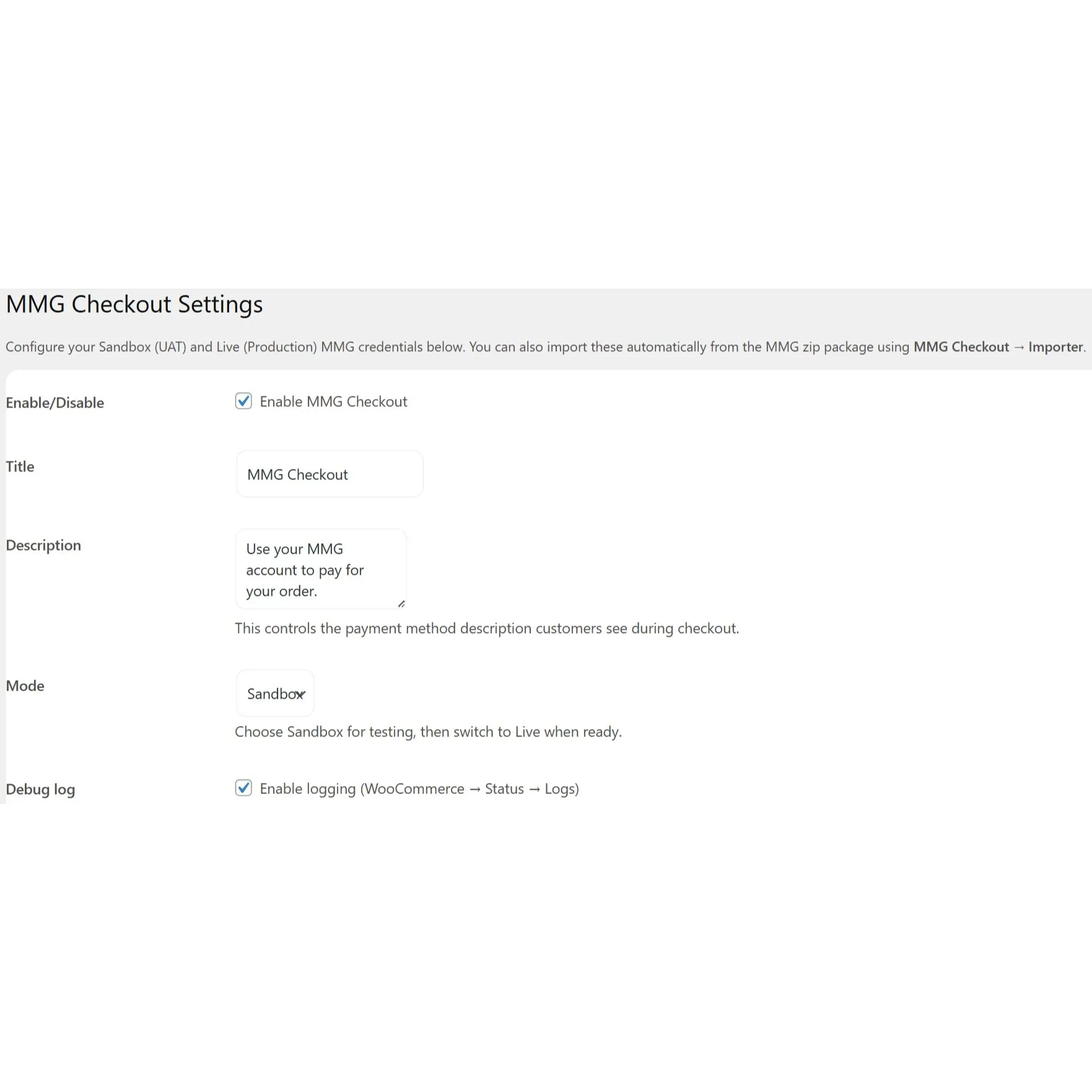
Live and Sandbox Mode Switching
Test safely in Sandbox first, then switch to Live when approved by MMG. Swap modes anytime without rebuilding the checkout setup.
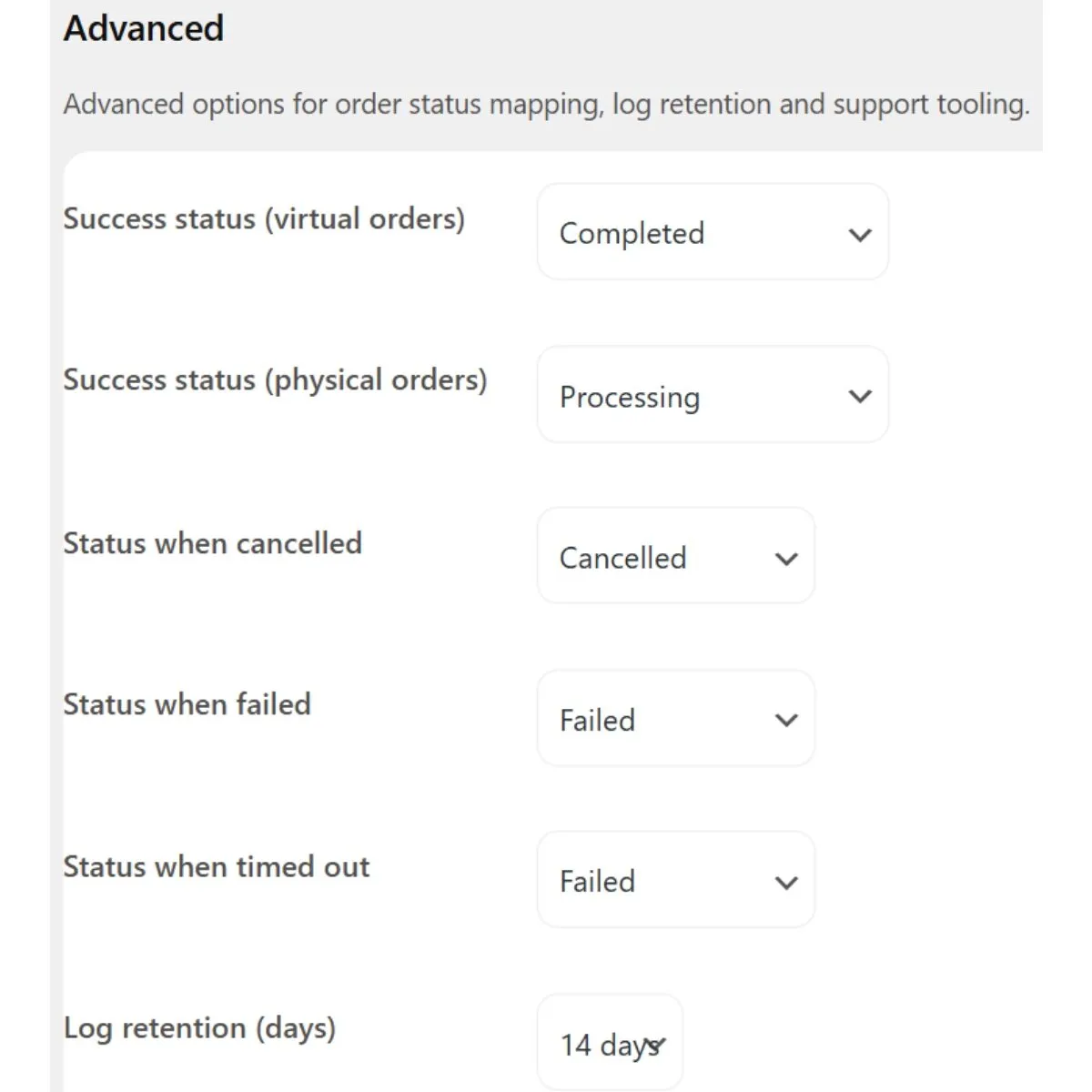
Order Status Auto Updates
Marks orders based on MMG results like success, failed, cancelled, or timed out. Keeps order history, emails, and invoices accurate.
Verify Payment Recovery Tool
Confirms payments from the order screen if a redirect was interrupted. Helps fix stuck orders without guessing or manual updates.
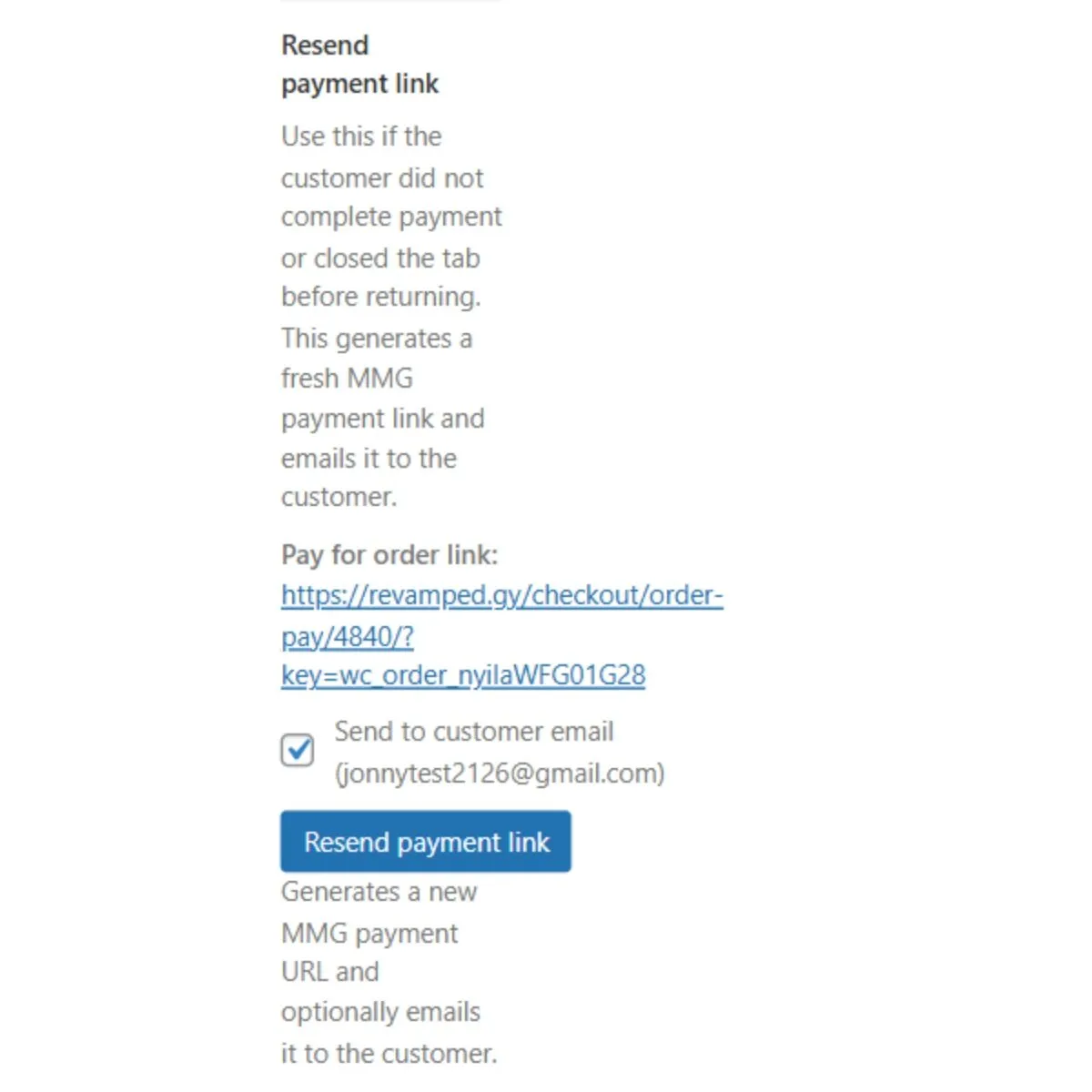
Resend Payment Link Button
Regenerates a payment link for pending orders and sends it to the customer. Also shows a quick copy link for faster support.
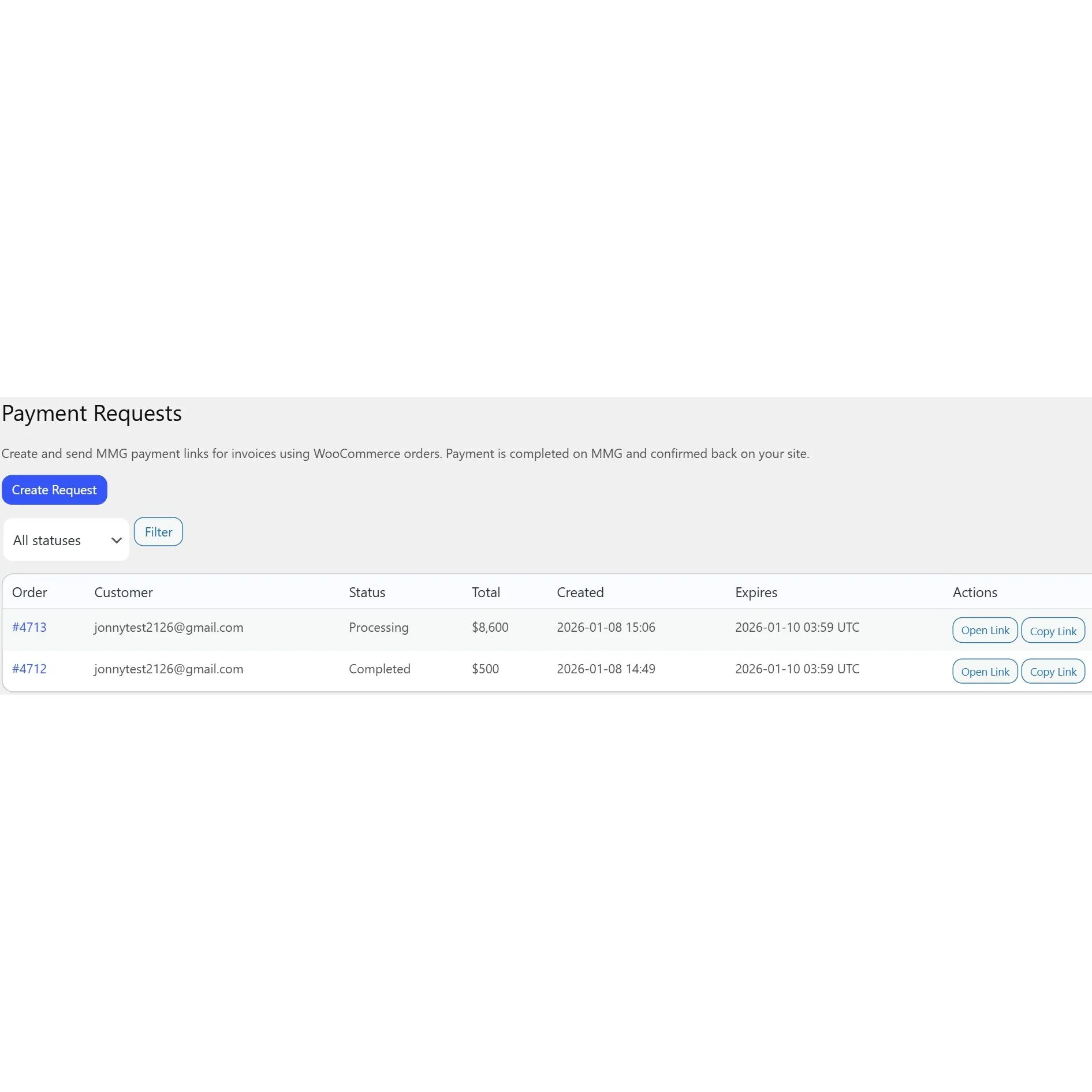
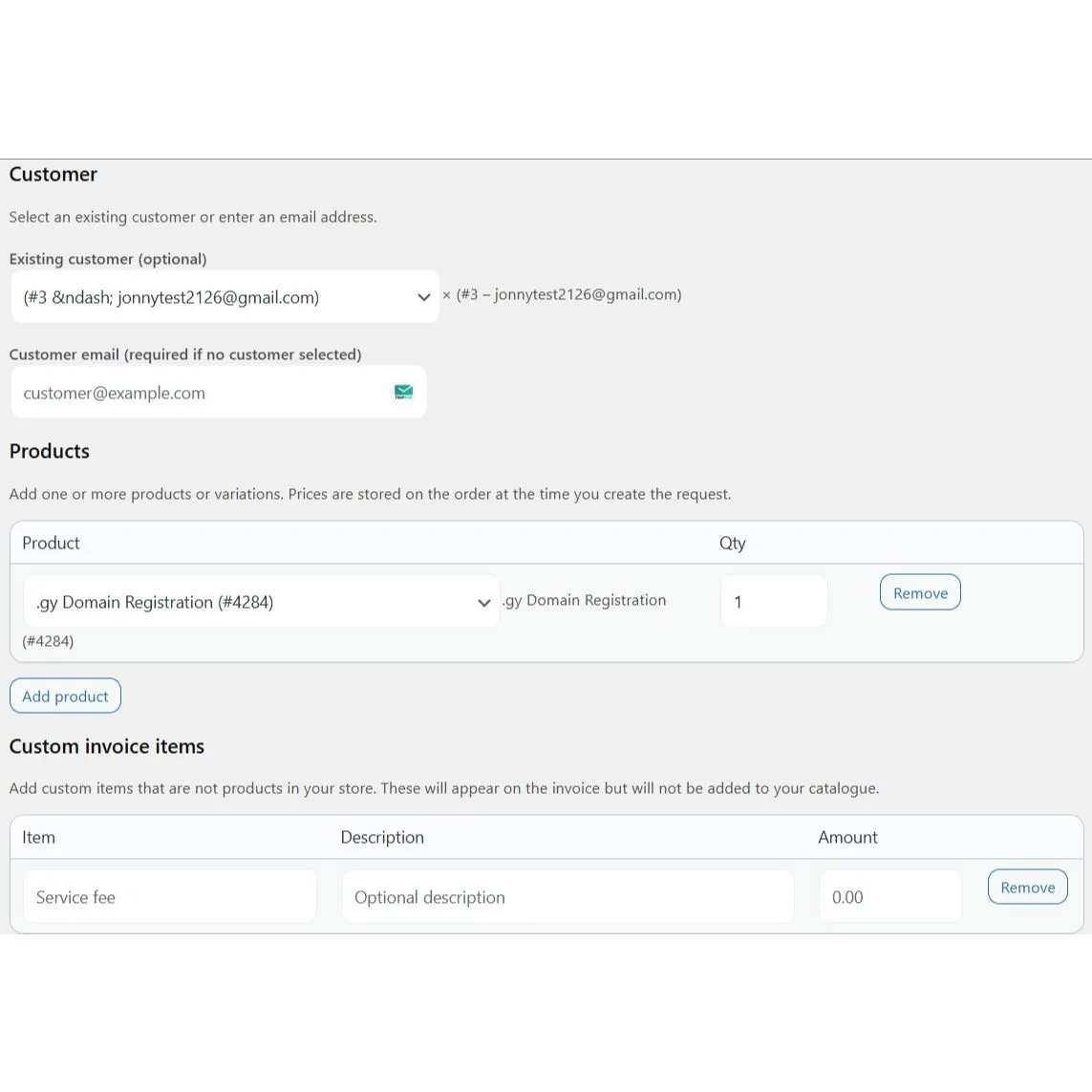
Payment Requests and Invoices
Create invoice-style orders and send customers a pay link to complete payment. Works using WooCommerce’s secure order-pay flow.
My Account Customer Portal
Customers can view invoices and subscriptions inside their My Account area. They can pay, renew, and check status without contacting support.
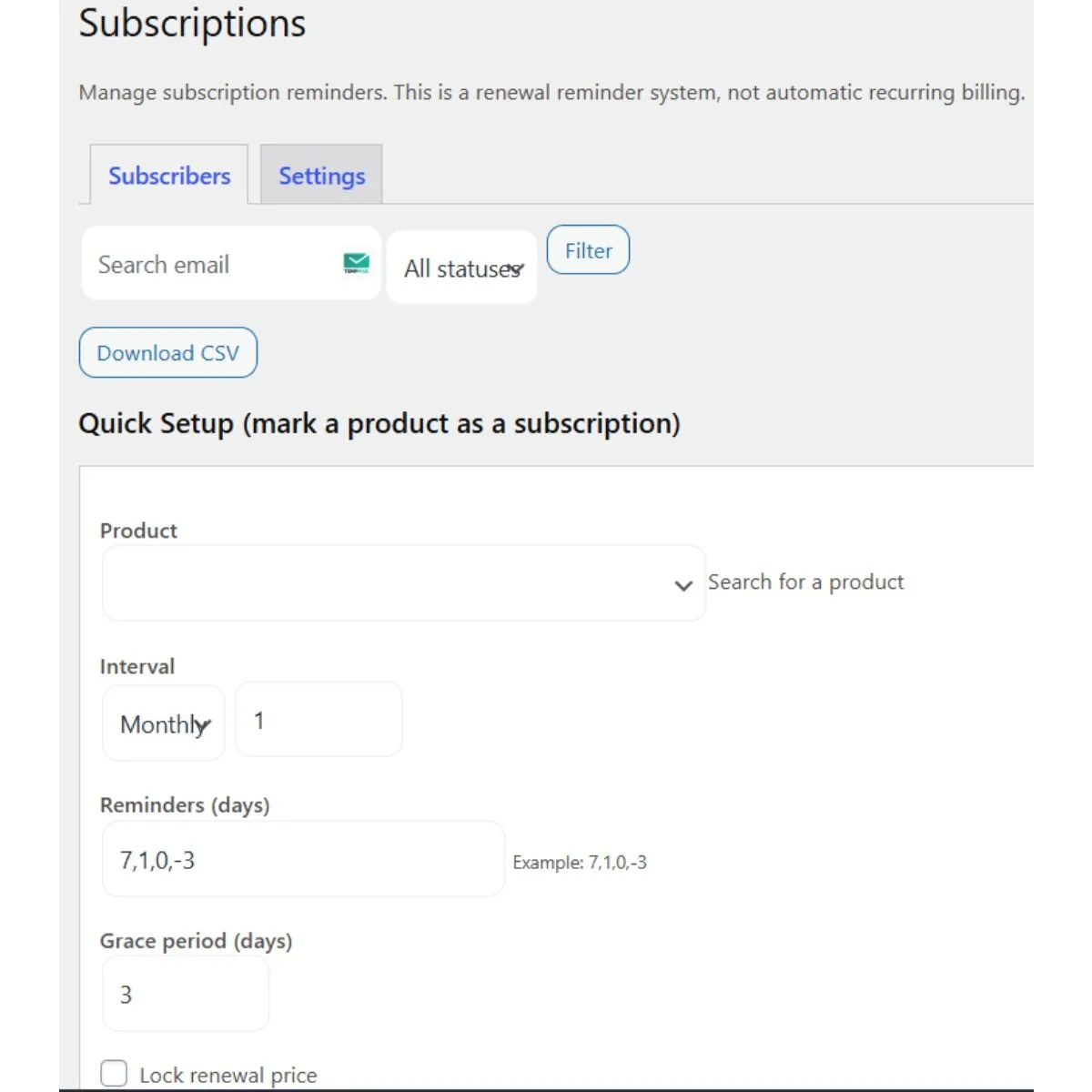
Subscription Reminder System
Send renewal reminders with a pay link for subscription products you define. Tracks last paid, next due, and overdue status automatically.
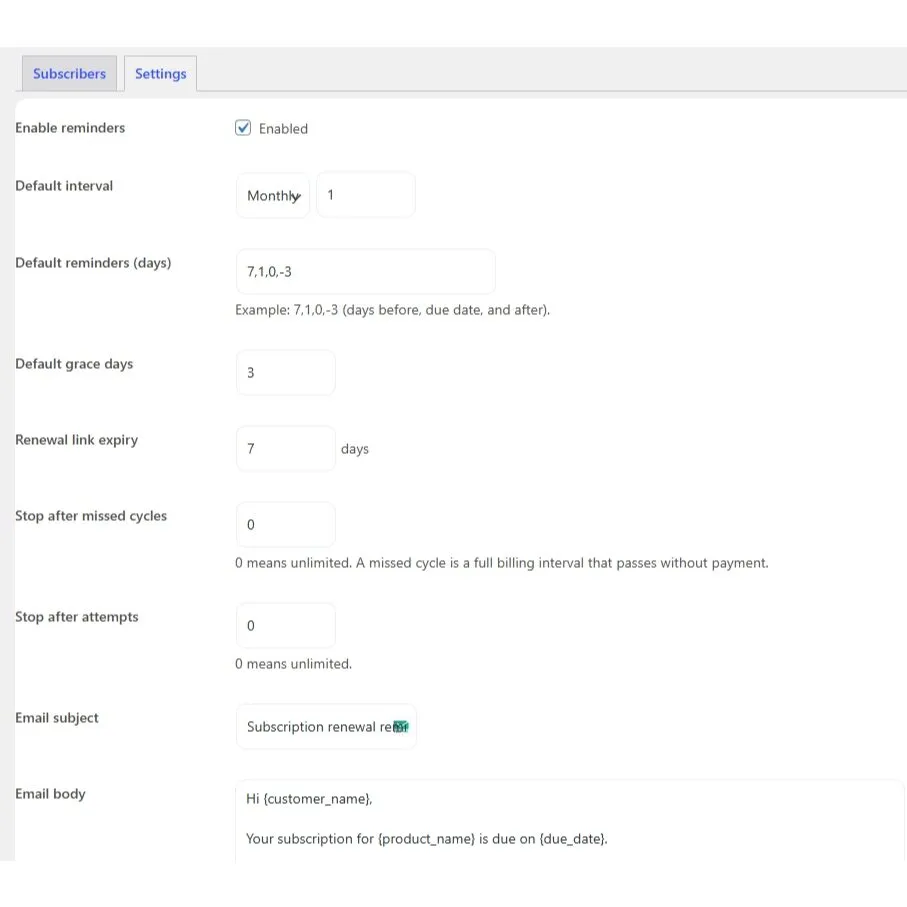
Subscriber Controls and Overdue Tags
Add grace periods, overdue tagging, pause or resume reminders, and stop after missed cycles. Gives you real control over renewals and follow ups.
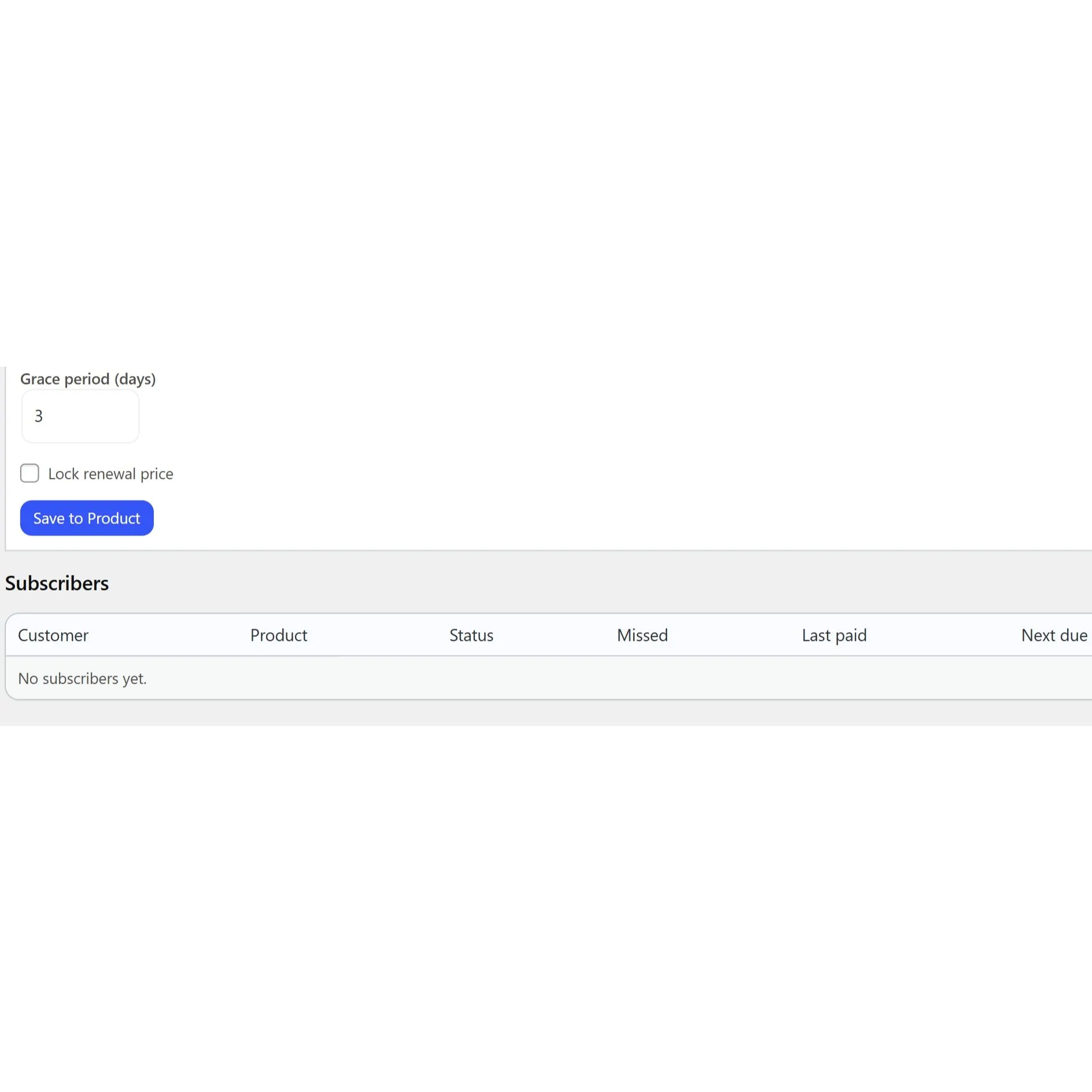
Per-Subscriber Price Locking
Lock the renewal amount for a specific subscriber when needed. Keeps pricing consistent for agreements or special customers.
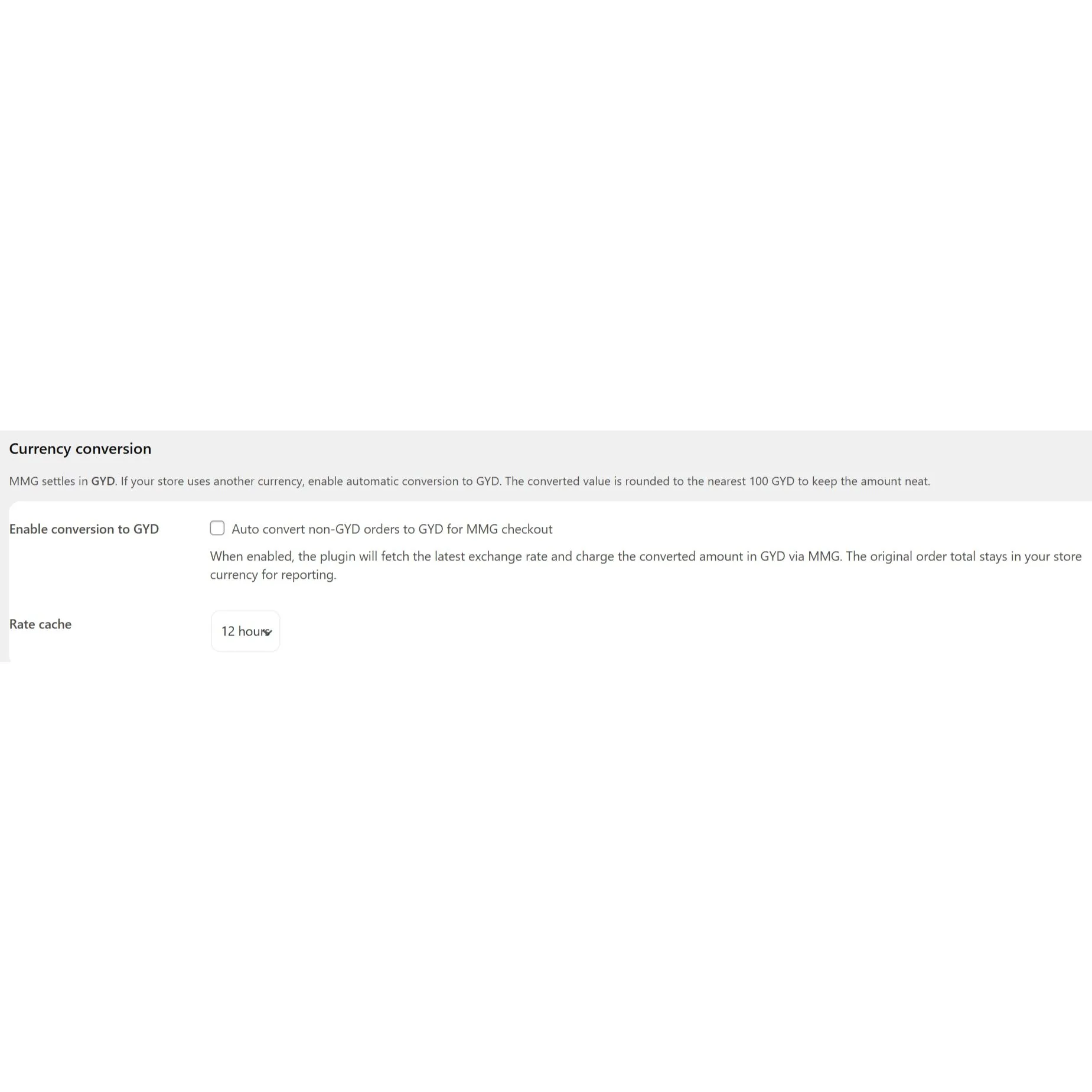
Currency Conversion to GYD
Converts non-GYD totals into GYD using cached exchange rates, then rounds neatly. Saves conversion details on the order for clean reporting.
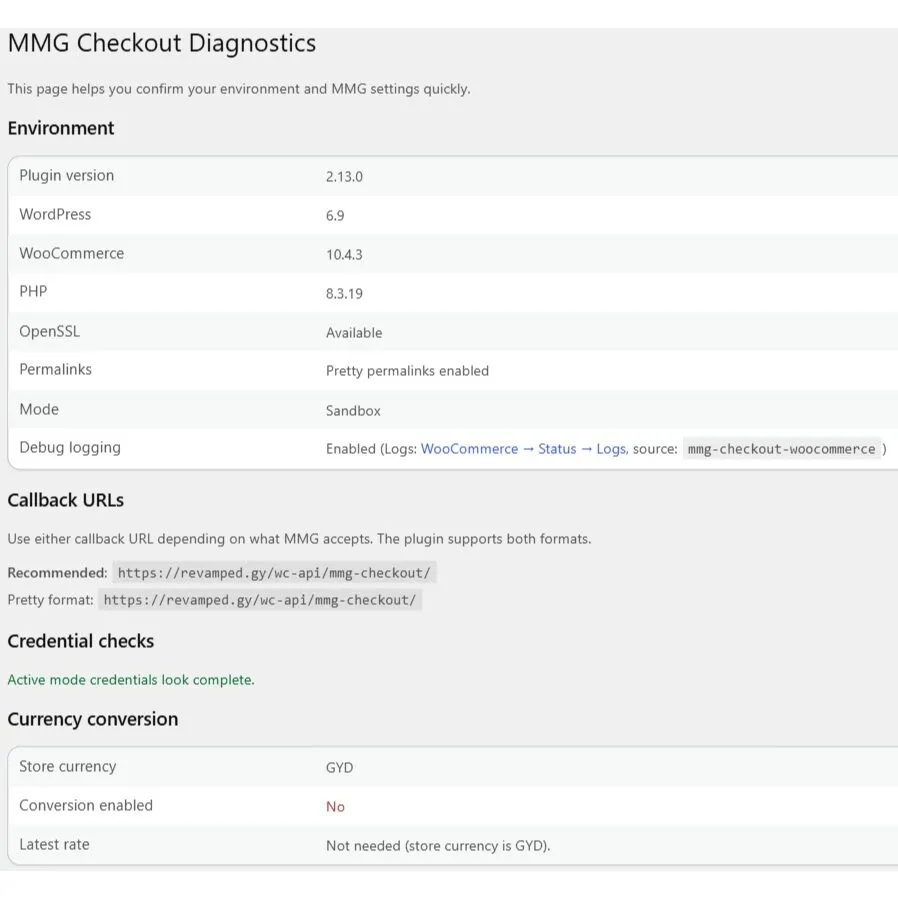
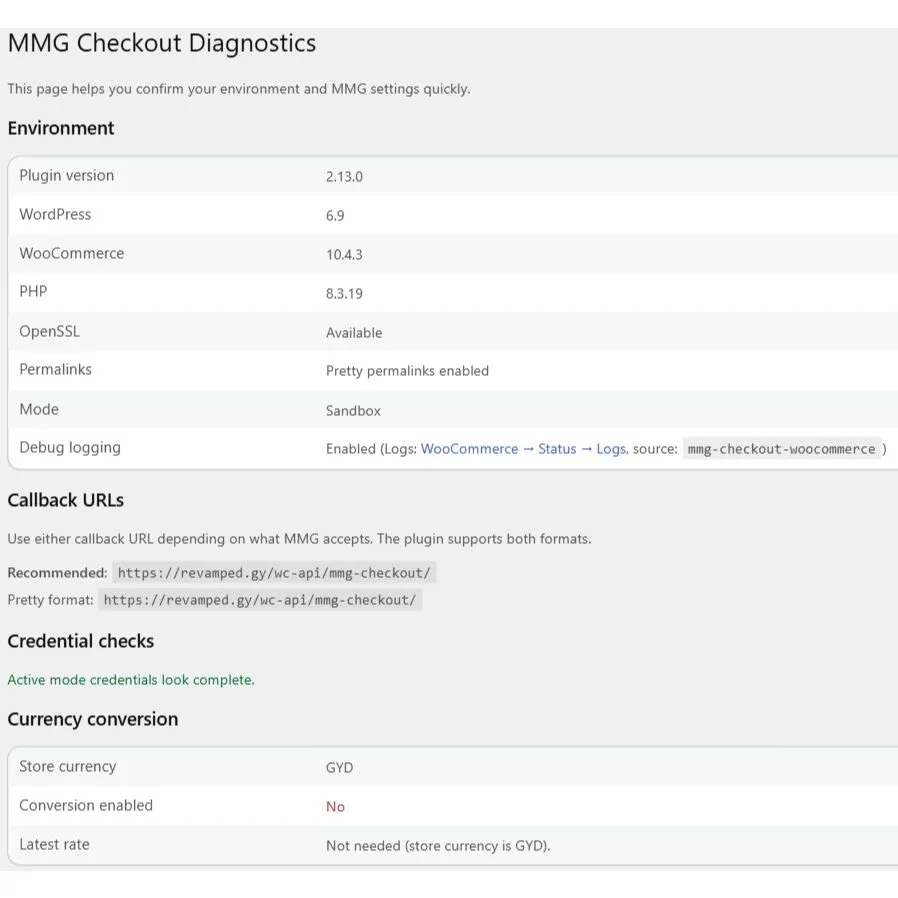
Diagnostics and Callback Display
Shows your callback URL and system checks on a dedicated Diagnostics page. Copy the URL and send it to MMG when requesting credentials.
Exports with Filters and Summary
Export CSV reports by date, status, product, or customer for reconciliation. Includes a monthly summary with totals and success rate.
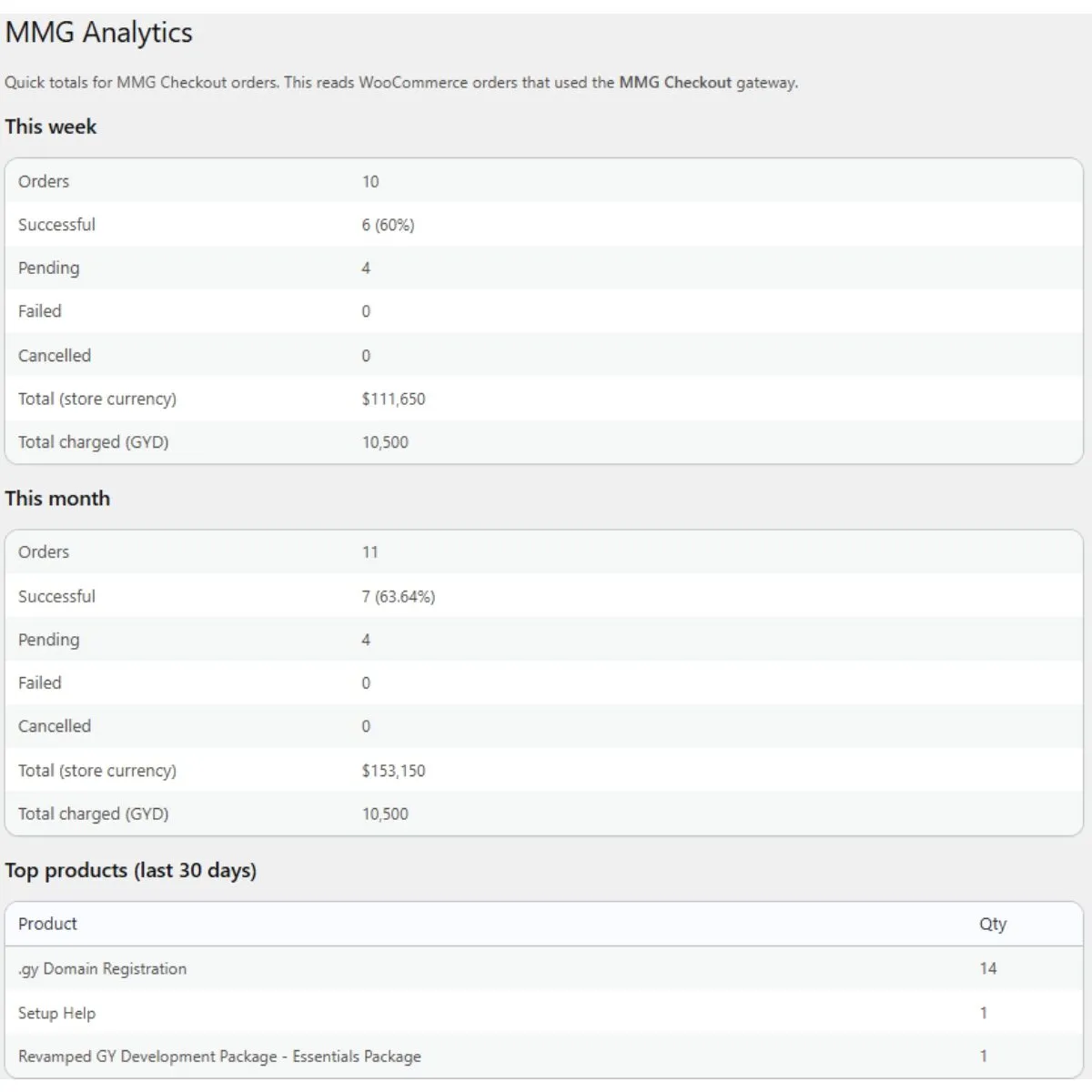
Analytics Dashboard Overview
View MMG totals this week and month, plus success and failure rates. Also shows pending orders and top paid products.
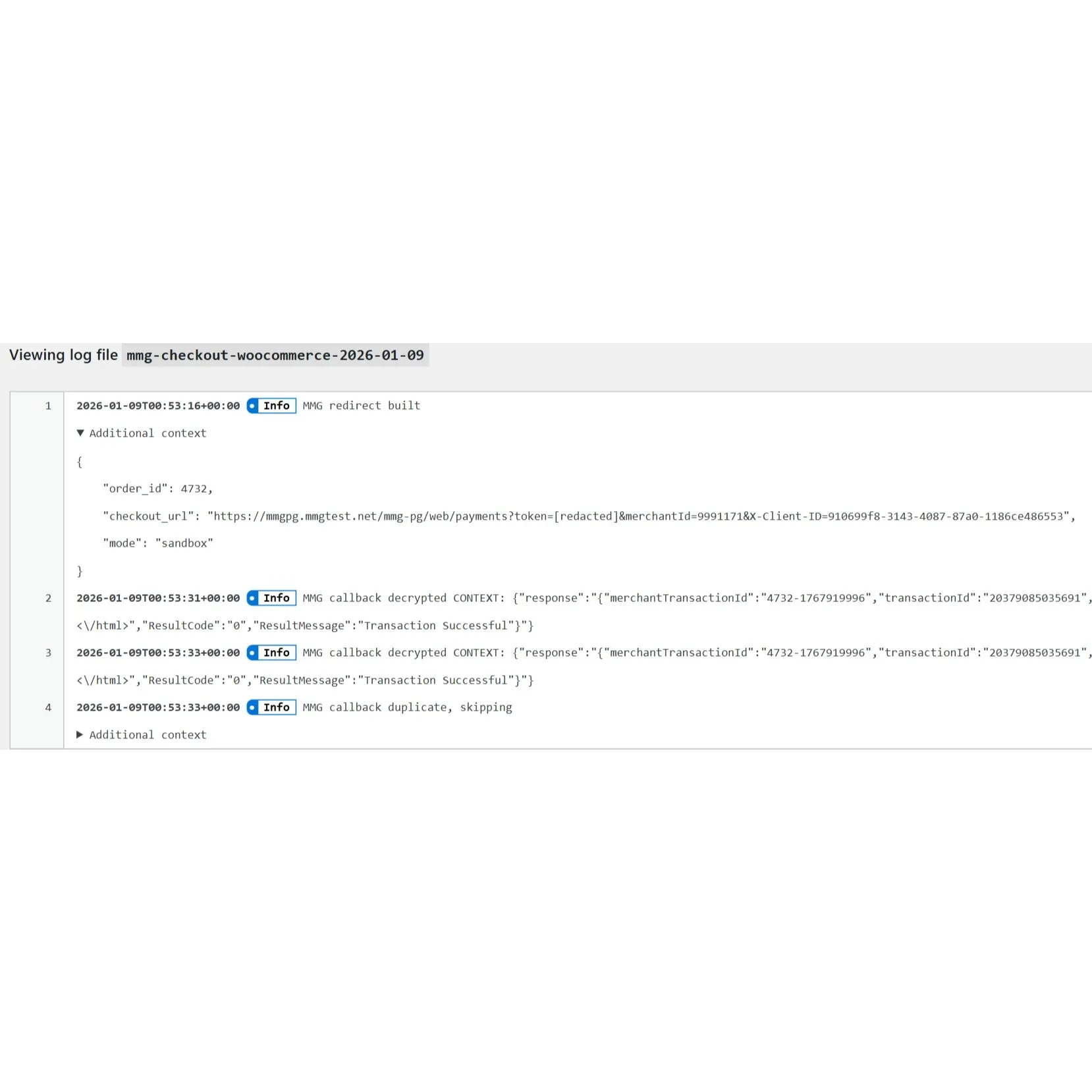
Logs and Debug Tools Built In
Safe logs help identify callback and payment issues without exposing secrets. Includes rotation options to keep log files manageable.
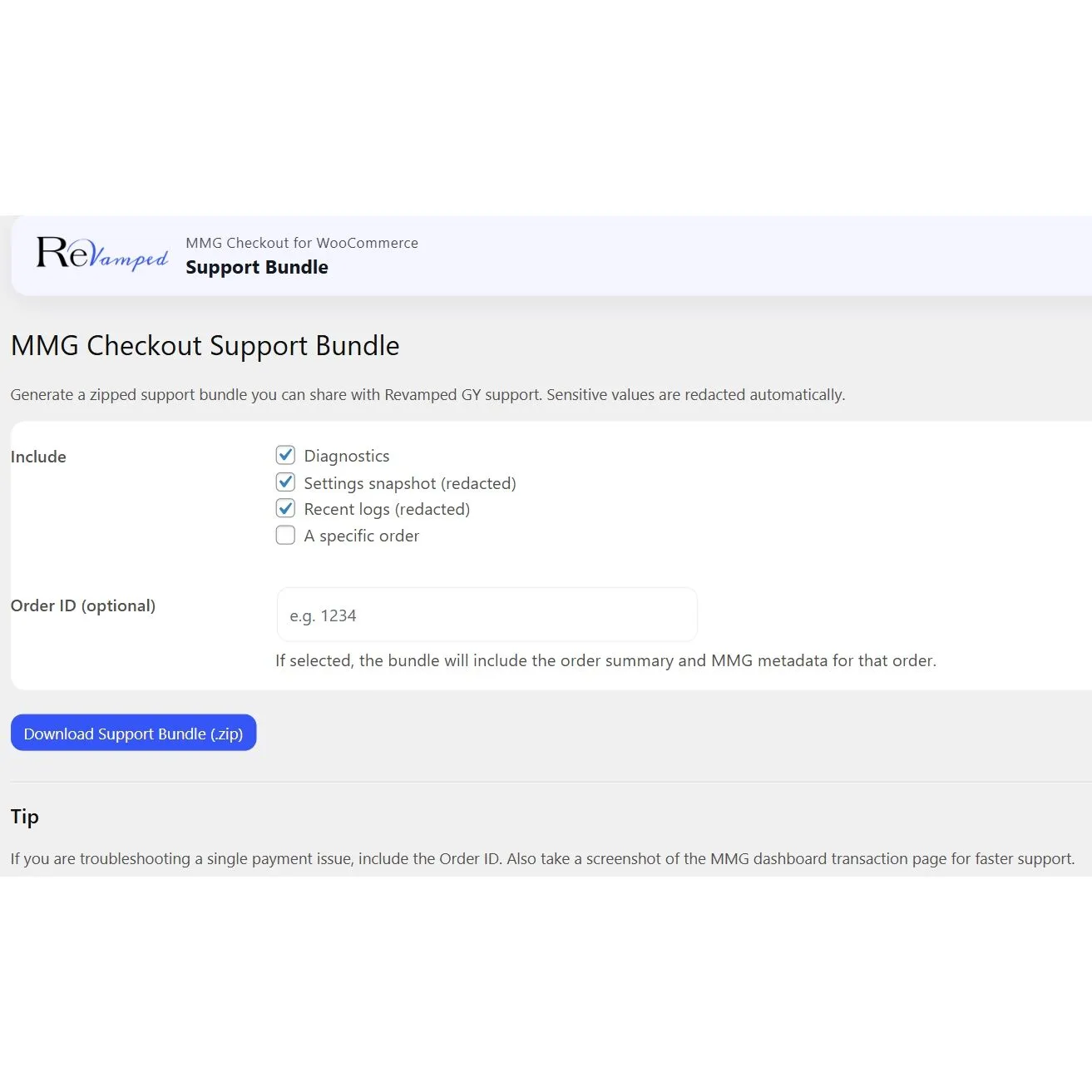
Support Bundle Generator
Creates a redacted zip with diagnostics and logs for faster troubleshooting. Makes support simple without sharing sensitive files.
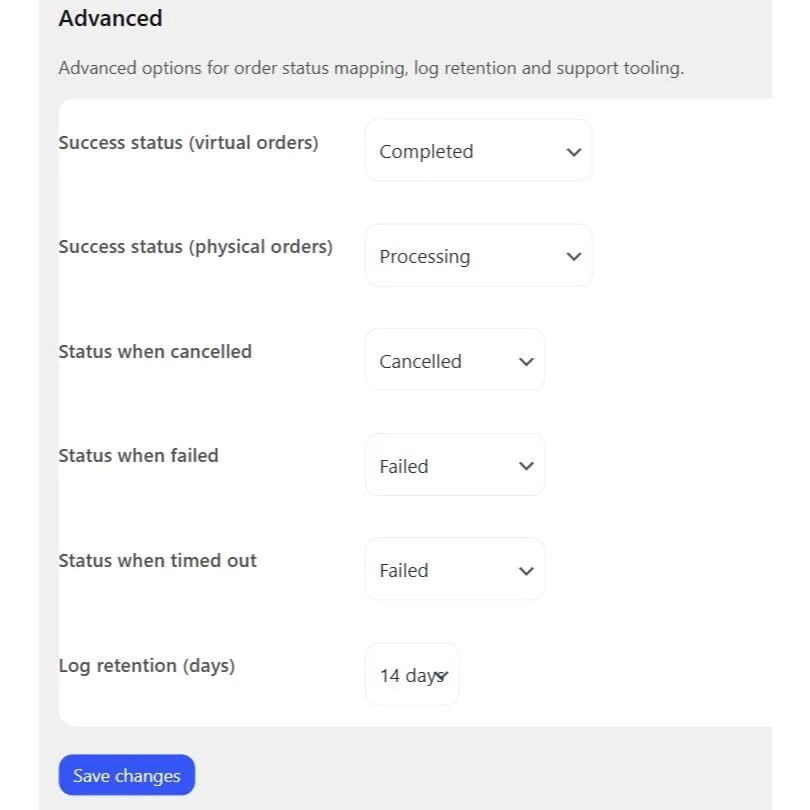
Advanced Status Mapping Options
Choose how paid orders are marked, like Processing or Completed, based on your store. Keeps fulfilment and digital delivery aligned.
Duplicate Callback Protection
Prevents double-processing if MMG hits the callback more than once. Keeps orders stable and avoids repeated status changes.
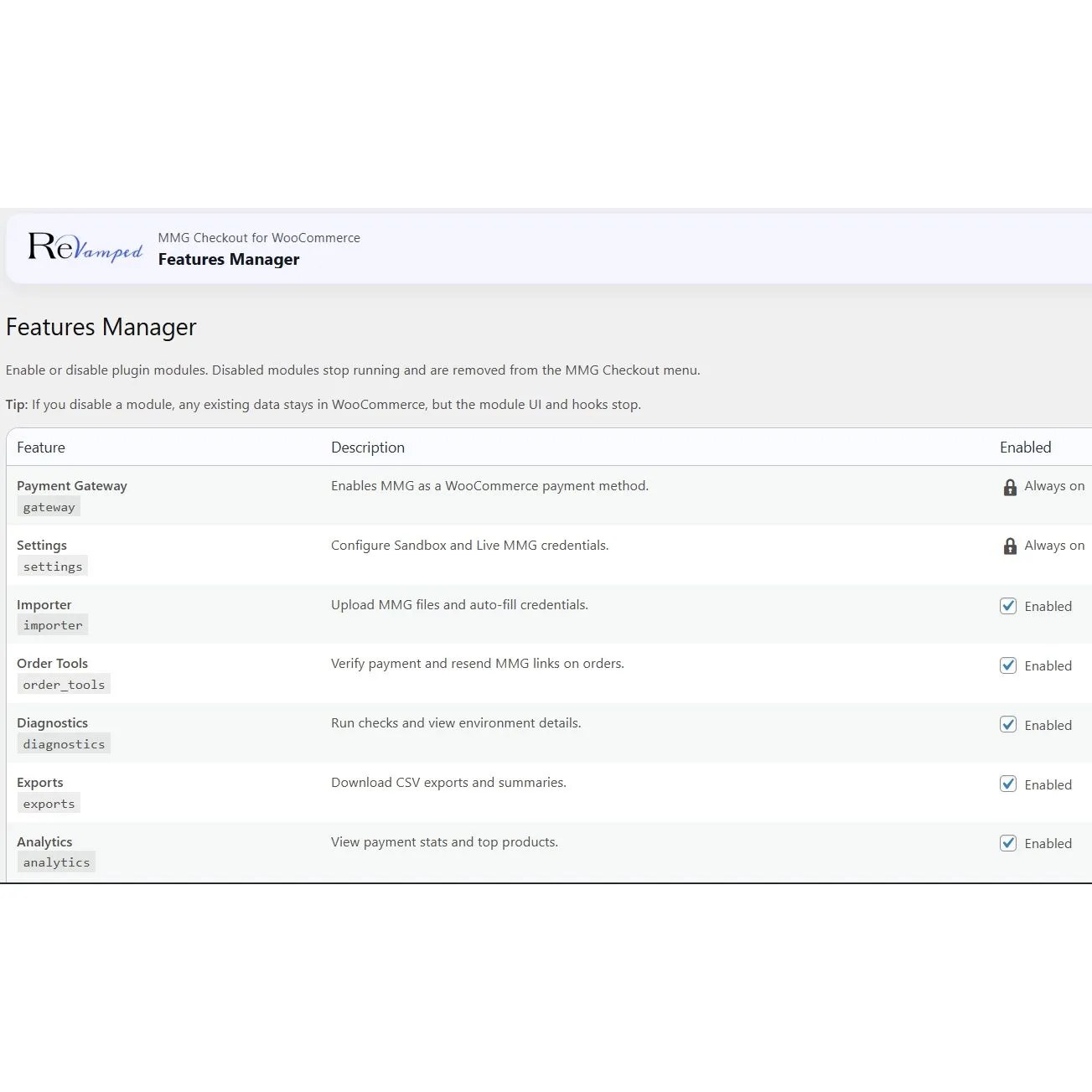
Features Manager Toggles
Turn plugin modules on or off to match each store’s needs. Disabled features stop running and disappear from the admin menu.
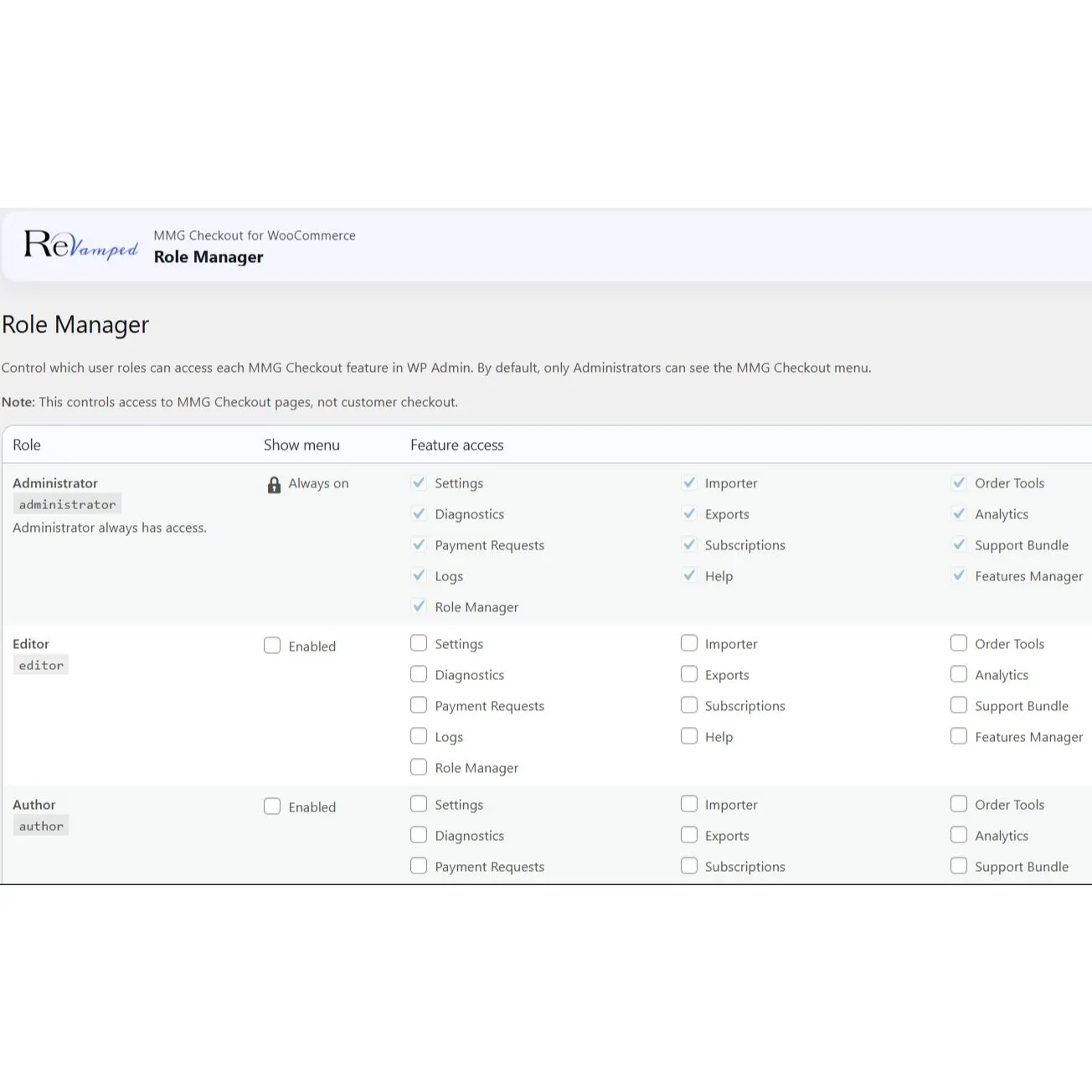
Role-Based Access Manager

Choose which user roles can access each feature and page. Admin controls everything and can grant access safely.
1 on 1 Support and Integration
Get personal support from the Revamped GY team! We can help you acquire your merchant account and even build your site from scratch.
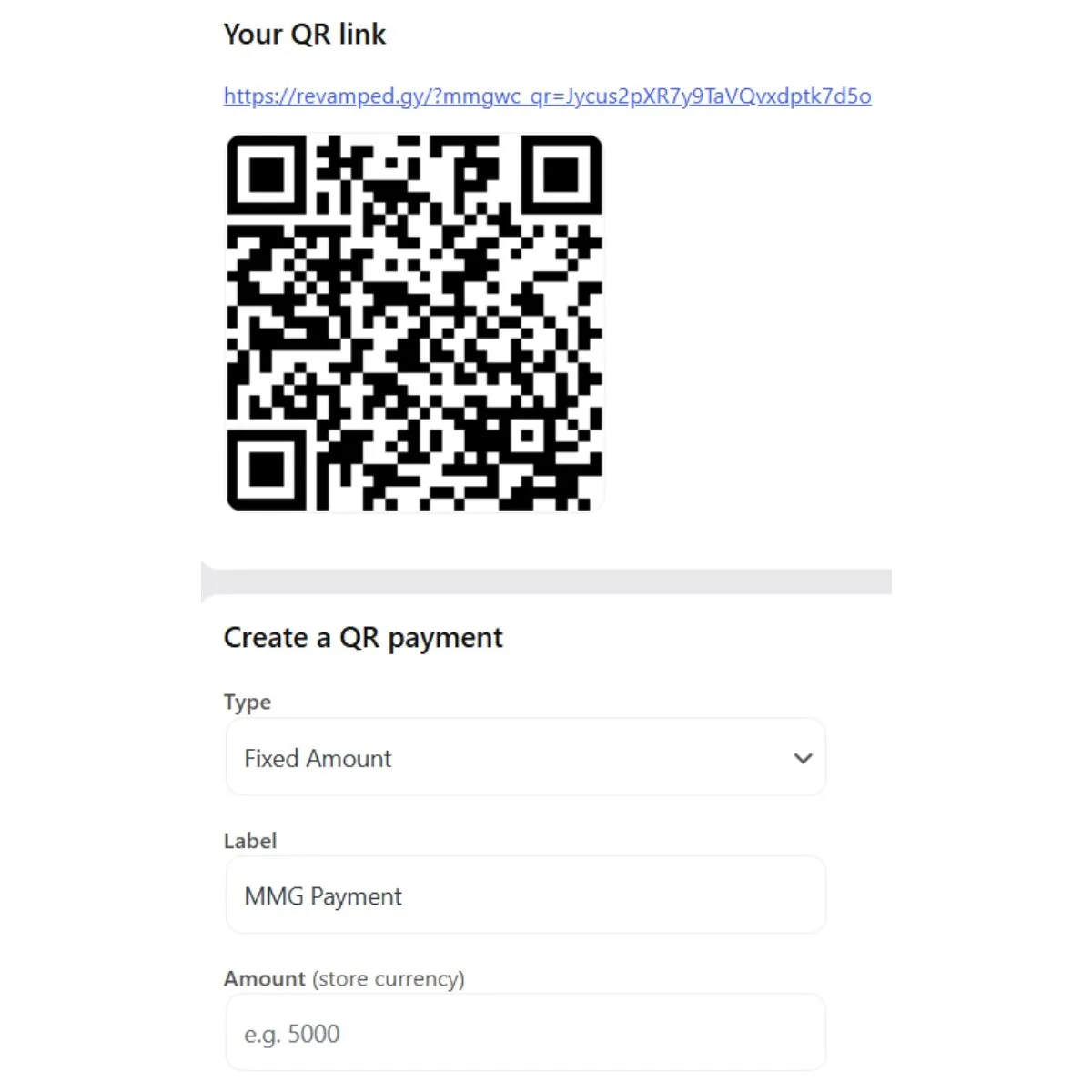
QR Payments Generator
Automatically create QR codes that point directly to the MMG Checkout Page, and finishes the order in your store!

New Features Coming Soon
As new features launch, you will be updated by email. You can even request new features and we will add them.

How it helps your store.
This plugin is not only about “taking a payment”. It helps you run your business.
-
Fewer abandoned checkouts
MMG is familiar to local customers. A trusted local option often increases the chance that customers finish payment.
-
Cleaner order management
When payments update properly, your fulfilment becomes easier. Staff can see whether an order is paid, pending, failed, cancelled or timed out.
-
Faster customer support
Instead of long back and forth messages, you can use a simple workflow and close issues quickly.
Who is this plugin for?
This plugin is ideal for WooCommerce stores in Guyana that want a reliable MMG checkout flow, especially stores using the WooCommerce Checkout block and stores that need strong admin tools like exports, verify payment and resend link.
If you are a developer, the plugin also gives you a clean, repeatable setup process for client sites since credentials can be imported quickly and the diagnostics tools speed up troubleshooting.
Upgrade your business now.
You can download and try for yourself, or hire us to do it for you. We even provide ongoing support and so many other services!